Choosing between a Korea SIM card, eSIM, or Pocket WiFi comes down to one question: do you need a local phone number, or just reliable data? For most short-term visitors in 2026, an eSIM wins on convenience — you can activate it before you even land, skip the airport counter line, and avoid handling a tiny physical chip you could lose. But eSIM isn’t automatically the right call for everyone: groups sharing one connection, travelers with older or carrier-locked phones, and anyone who genuinely needs a Korean phone number for reservations still have good reasons to pick a physical SIM or Pocket WiFi instead. South Korea’s mobile network — built on SK Telecom, KT, and LG U+ infrastructure — delivers strong 4G/5G coverage nationwide, from downtown Seoul to rural temple stays, so connectivity itself is rarely the deciding factor. The real decision points are cost, activation hassle, device compatibility, and whether you need voice/text.
Key Takeaways
- eSIM is the most convenient option for solo and short-term travelers — no airport pickup, activates digitally, but requires an eSIM-compatible, carrier-unlocked phone.
- Physical SIM cards give you a real Korean phone number, useful for restaurant reservations or delivery apps, and cost about $12–$49 USD for 3–30 days as of 2026.
- Pocket WiFi is the best value for groups or families sharing one device, at roughly $2–$10 USD per day, but adds a device to charge and return.
- eSIM plans from providers like Airalo, Nomad, and Ubigi start around $4–$9 USD for small data packages and can go unlimited for about $49–$139 USD.
- None of these options are strictly necessary for basic browsing — Korea has extensive free WiFi in cafes, subways, and convenience stores — but travelers relying on navigation and translation apps should have a dedicated data plan.
What Are Your Connectivity Options in Korea?
For travel to South Korea, you have three practical ways to get mobile data: a physical prepaid SIM card, a digital eSIM, or a rentable Pocket WiFi (portable hotspot) — each swaps your data source differently while all riding on the same reliable SK Telecom, KT, or LG U+ networks. A physical SIM replaces the chip inside your phone entirely, giving you a new Korean number but disabling your home SIM for the trip (unless your phone is dual-SIM). An eSIM is a digital profile you install alongside your existing SIM, so you keep your home number active for calls/texts while using the Korean eSIM for data. Pocket WiFi is a separate battery-powered device that creates its own WiFi hotspot, which your phone (and any other devices) connects to — no SIM swap needed at all, but you’re carrying and charging an extra gadget. As of 2026, all three deliver strong 4G/5G speeds across major cities and most rural areas, so the choice is really about convenience, cost per person, and whether you need a local number.

SIM Card vs eSIM vs Pocket WiFi: A Side-by-Side Comparison
No single option is best for everyone — the right choice depends on your device, group size, and whether you need a Korean phone number, so compare them directly before booking. Here’s how the three stack up on the factors that matter most to first-time visitors.
Physical SIM Card
- Cost (2026): about $12 for 3 days, $24–$25 for 7 days, $43–$49 for 30 days
- Local Korean number: Yes
- Setup: Requires airport counter pickup or in-city store visit; phone must accept a new SIM
- Best for: Travelers who need a Korean number for reservations, delivery apps, or long stays
- Downside: Losing your home number’s data access unless dual-SIM; risk of losing the tiny SIM card
eSIM
- Cost (2026): about $4–$9 for 1GB/7 days, $10–$19 for 5–20GB/30 days, roughly $49–$139 for unlimited plans (30–90 days)
- Local Korean number: Usually data-only; some providers offer voice/text add-ons
- Setup: Install a QR code or app profile before or after landing — no counter visit
- Best for: Solo travelers, short trips, anyone with an unlocked eSIM-compatible phone
- Downside: Older or carrier-locked phones can’t use eSIM; most plans are data-only
Pocket WiFi
- Cost (2026): about $2–$10 per day for unlimited data
- Local Korean number: No (it’s a shared hotspot, not a phone SIM)
- Setup: Reserve online, pick up at the airport counter, return before departure
- Best for: Groups, families, or travelers with multiple devices (laptop, tablet, camera)
- Downside: Extra device to charge daily, must be returned, single point of failure if battery dies
If you’re traveling solo with a modern smartphone, eSIM is generally the least hassle. If you’re traveling with 2–4 people who all need data, splitting a Pocket WiFi rental often works out cheaper per person than buying separate SIMs or eSIMs.
How to Get Set Up, Step by Step
Getting connected in Korea takes under 15 minutes whether you choose SIM, eSIM, or Pocket WiFi, as long as you prepare the right details beforehand. For an eSIM, buy your plan online in advance from a provider such as Airalo, Nomad, Ubigi, Holafly, Saily, or Travelsim Asia, and you’ll receive a QR code by email. Confirm two things before you travel: your phone is unlocked (check with your home carrier) and it supports eSIM (most iPhones since XS and many Android flagships since 2019–2020 do). You can install the eSIM profile before departure over home WiFi, but activate the data plan only once you land in Korea to avoid burning validity days early. For a physical SIM, order online for airport pickup or buy directly at counters in the arrivals hall — bring your passport, as ID is required for registration. For Pocket WiFi, reserve online through a rental platform such as Klook, choose your pickup airport and dates, and pick up the device at the counter; you’ll return it at the same or a designated counter before your flight home. All three options at Incheon Airport are located in the arrivals hall past customs, so plan a few extra minutes after landing if you’re picking up in person.
Where to Pick Up SIM Cards, eSIM Support, and Pocket WiFi at the Airport
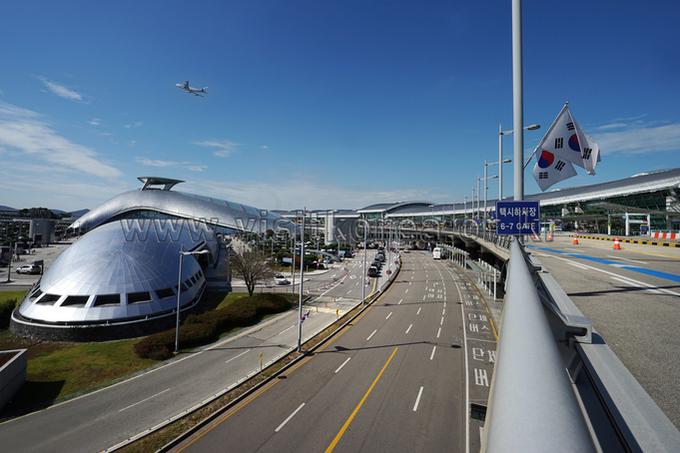
Incheon International Airport (ICN) is the main gateway where most travelers arrange connectivity, with Terminal 1 and Terminal 2 both hosting SIM, eSIM, and Pocket WiFi counters in the arrivals hall — though eSIM buyers can usually skip these counters entirely since activation happens digitally. In Terminal 1, telecom counters are near the public exit gates on the 1st floor arrivals area, generally staffed from about 6:30 AM to 10:00 PM. Terminal 2 has an SK Telecom counter opposite Gate 7 that operates 24 hours, while KT and LG U+ counters keep standard daytime hours. Chingu Mobile also runs SIM pickup at Incheon Airport bookstores — T1 near Exit 7 and T2 behind Row D in the departures area (unlike the carrier counters in arrivals) — open daily from about 7:00 AM to 9:00 PM, with SIM activation available from about 10:00 AM to 7:00 PM. If you’re flying into Gimpo International Airport on a domestic-to-international connection, or Gimhae International Airport in Busan, both also have SIM and Pocket WiFi counters, though with fewer providers than Incheon — booking online in advance is safer if you’re arriving through these smaller hubs. Outside the airport, carrier retail stores such as SK Telecom agent branches and independent shops like Korea Uplus in city centers also sell prepaid SIMs, though English support varies by location.
How Much Data Do You Actually Need?
Most travelers underestimate or overestimate their data needs — a realistic daily estimate for a typical sightseeing day using maps, messaging, and some social media is about 300MB to 1GB, while heavy streaming or video calls can push that to 2–3GB a day. Naver Map or Google Maps navigation running continuously for an hour uses roughly 20–50MB, while a full day of turn-by-turn directions between multiple stops might total 100–200MB. KakaoTalk messaging (Korea’s dominant messenger) is data-light — text and voice messages use only a few MB per day even with heavy use, but video calls can consume 200–300MB per hour. Scrolling Instagram or TikTok for an hour typically uses 150–300MB depending on video quality, and streaming music or video (Netflix, YouTube) in standard definition runs about 300–700MB per hour, roughly double that in HD. Based on this, light users (mostly maps and messaging) are comfortable with a 5–10GB plan for a week-long trip, medium users (maps, social media, some streaming) should budget 15–20GB, and heavy users (constant streaming, video calls, hotspot sharing with a laptop) should look at unlimited plans, which most eSIM and SIM providers now offer as of 2026.
Common Mistakes and Insider Tips
The most common mistake is activating a SIM or eSIM too early — since most plans start counting validity from first activation, not purchase, activating at home before departure wastes days you could have used in Korea. Another frequent issue is buying a plan without checking phone compatibility first: eSIM requires both an unlocked phone and eSIM hardware support, so contact your home carrier to confirm your phone is unlocked before you fly, especially if it was purchased on a payment plan or through a carrier subsidy. Travelers who need a local Korean phone number — for restaurant reservations, coffee shop waitlists, or certain delivery apps — should note that most eSIM plans are data-only; if you need voice and text, look specifically for eSIM providers offering a Korean number add-on, or get a physical SIM instead. For groups, splitting the cost of one Pocket WiFi is usually cheaper than everyone buying individual SIMs or eSIMs, but remember the device needs daily charging and has a single point of failure — if the battery dies or the device is left behind, everyone loses connectivity at once. Finally, “unlimited” data plans, whether SIM or eSIM, often throttle speeds significantly after a high-speed data cap is reached, so check the fine print if you plan to stream video regularly. Keep a backup: free WiFi is widely available in Korean cafes, subway stations, and most convenience stores, which can bridge short gaps if your plan runs out.
Frequently Asked Questions
Is eSIM enough, or do I still need Pocket WiFi?
For solo travelers or couples with modern smartphones, an eSIM alone is usually enough — it covers navigation, messaging, and social media without extra devices to carry. Pocket WiFi becomes more useful for groups of three or more, families with kids’ tablets, or anyone traveling with a laptop and multiple gadgets, since one rental covers everyone’s data at a shared cost.
Do I need a Korean phone number for my trip?
Not for most tourist activities like sightseeing, shopping, or using maps and translation apps, since eSIM and Pocket WiFi handle data fine without one. However, a Korean number becomes useful for restaurant reservation apps, certain delivery services, or long waitlists at popular cafes, so if you plan to rely on these, a physical SIM card is the safer choice.
Do eSIMs in Korea include voice calls and texting?
Most tourist eSIM plans for Korea are data-only, designed for internet access rather than phone service. If you need to make calls or send texts with a local number, look for eSIM providers that specifically offer a voice/text add-on, or use a physical SIM card instead, which always includes a functioning Korean number.
How do I check if my phone is unlocked and eSIM-compatible?
Contact your home carrier to confirm your phone is carrier-unlocked, which is required for any local SIM or eSIM to work. For eSIM compatibility, check your phone settings for an “Add eSIM” or “Add Cellular Plan” option, or check your device model against your eSIM provider’s compatibility list before purchasing.
Is it cheaper to buy a SIM or eSIM before arriving in Korea, or at the airport?
Pre-ordering eSIMs online is often slightly cheaper and guarantees availability, while airport SIM counters offer convenience but sometimes carry a small markup and require waiting in line. Comparing prices for your exact trip length across providers like Airalo, Nomad, and KT’s tourist packages before you fly usually gets you the best rate.
In Conclusion
For most short-term visitors to Korea in 2026, an eSIM offers the best balance of convenience and cost — no airport line, digital activation, and plans starting around $4–$9 USD for a week’s data. Choose a physical SIM card if you specifically need a Korean phone number for reservations or delivery apps, and choose Pocket WiFi if you’re traveling with a group or multiple devices that need to share one connection. Whichever you pick, confirm your phone is unlocked before you fly, activate your plan only after landing to avoid wasting validity days, and estimate your data needs based on how much you’ll actually use maps, messaging, and streaming. With SK Telecom, KT, and LG U+ all delivering strong nationwide 4G/5G coverage, connectivity itself won’t be the problem — the right choice just comes down to matching the option to how you travel.
Discover more from Korea Visiting
Subscribe to get the latest posts sent to your email.